概要
Kestra はオープンソースのイベント駆動・宣言型ワークフローオーケストレーションプラットフォームです。2021 年に設立され、2026 年 5 月時点で GitHub Stars 26,900+、Apache 2.0 ライセンスで公開されています。
Kestra は「データ・AI・インフラ・ビジネスワークフローを一元管理するユニバーサルオーケストレーター」として設計されています。スケジュール実行とイベント駆動実行の両方を宣言型 YAML で記述します。Python・SQL・Bash・R・Node.js・Go・任意のコンテナをタスク単位で混在させられます。Infrastructure as Code のベストプラクティスをワークフローオーケストレーションに適用し、コード・UI・API のいずれからもフローを定義・管理できます。
採用実績として Bloomberg、Toyota、Apple、JPMorgan Chase など 30,000+ 組織が利用しています。2025 年単年で 20 億超のワークフロー実行を記録しました(2024 年の 1 億から増加。出典: Kestra Series A 発表)。GitHub Stars やプラグイン数は変動するため、最新値は公式サイトとGitHub リポジトリで確認してください。

特徴
- 宣言型 YAML によるコード不要の定義: ワークフロー・タスク・トリガーをすべて YAML で記述します。オーケストレーション層と業務ロジックを分離するため、Python・SQL・Bash・R・Node.js・Go などの既存スクリプトを書き換えずに組み込めます。
- 1,400+ プラグインエコシステム: データベース・クラウドストレージ・API・メッセージキューなど主要サービスをプラグインで接続します。Twilio・Slack・Databricks・BigQuery・dbt・Terraform・Spark など広範なインテグレーションに対応します。
- イベント駆動トリガー: スケジュール・Webhook・API コール・ファイル着荷・Kafka・SQS・Google Pub/Sub・Azure Event Hubs など 15 種類以上のトリガーをサポートします。
- マルチ言語実行: Python・Bash・SQL・Node.js・R・Go・コンテナをタスク単位で混在させられます。Kubernetes / AWS Batch / Google Batch などの Task Runner(EE/Cloud)で実行環境を柔軟に選択できます。
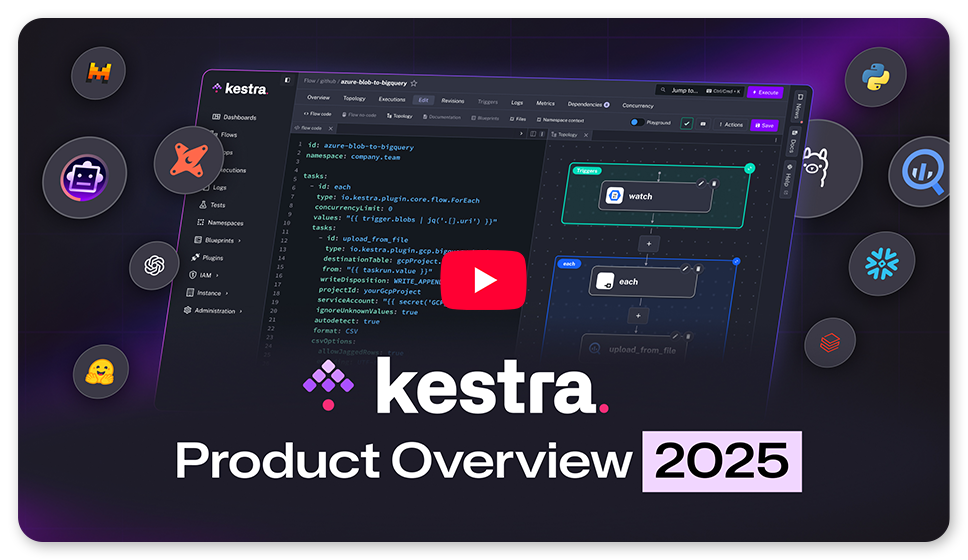
- UI・API・Git 統合: ブラウザ内コードエディタ・ビジュアルフロービルダー・トポロジービューを提供します。Git・Terraform・CI/CD との統合で GitOps フローに対応します。
- スタンドアロン〜分散デプロイ: 単一 Docker コンテナで起動する Standalone モードと、Scheduler・Worker・Executor・Webserver を個別にスケールする Distributed モードを選択できます。
- OSS で無制限フロー・実行: コミュニティ版はフロー数・実行数の制限なしで利用できます。AI Copilot も OSS で利用できます。
- Enterprise Edition(EE): SSO・LDAP・SCIM・カスタム RBAC・監査ログ・マルチテナンシー・Worker Groups・外部 Secret Manager・Kafka バックエンドを追加します。
- Kestra Cloud: フルマネージド・自動スケーリングのクラウド版を提供します。
- 高い観測性: Prometheus エンドポイントと Grafana ダッシュボードテンプレートを公式提供します。実行タイムライン・詳細ログ・メトリクスをリアルタイムで確認できます。
OSS / Enterprise / Cloud の機能境界
導入判断で最初に問題になるのが「どこまで OSS で完結するか」です。主な境界を整理します。
| 機能 | OSS | Enterprise / Cloud |
|---|---|---|
| フロー数・実行数 | 無制限 | 無制限 |
| バックエンド | PostgreSQL / MySQL(H2 は開発用 local 限定) | Kafka + Elasticsearch |
| Task Runner | Process / Docker | + Kubernetes / AWS Batch / Azure Batch / Google Batch / Cloud Run |
| 認証・認可 | Basic 認証 | SSO / LDAP / SCIM / カスタム RBAC |
| マルチテナンシー | なし | あり |
| 監査ログ | なし | あり |
| Worker Group | なし | あり |
| Secret 管理 | 環境変数(SECRET_ プレフィックス) |
外部 Secret Manager(AWS/GCP/Azure/Vault) |
OSS だけでも、宣言型フロー・1,400+ プラグイン・Docker Task Runner・Prometheus 監視・GitOps まで一通り実用できます。組織横断のガバナンス(RBAC・テナント分離・監査)と Kafka による高スループットが必要になった段階で EE/Cloud を検討する流れになります。
類似ツールとの比較
| ツール | 実行方式(言語依存) | 宣言モデル | イベント駆動 | スケーラビリティ | ライセンス/エディション |
|---|---|---|---|---|---|
| Kestra | 言語非依存(Python・Bash・SQL・R・Node.js・Go・コンテナ) | YAML 宣言型 | 第一級機能(Kafka・SQS・Webhook 等 15+ トリガー) | OSS: PostgreSQL/MySQL、EE: Kafka + Elasticsearch | Apache 2.0 OSS / EE / Cloud |
| Apache Airflow | Python 中心 | Python DAG コード | Asset Watchers を追加(後付け) | スケールアウト可能だがセットアップ複雑 | Apache 2.0 OSS / マネージドサービス各社 |
| Prefect | Python 専用 | Python コードが宣言を兼ねる | ポーリング・Automation ルール | エージェントベース、柔軟なスケール | Apache 2.0 OSS / Prefect Cloud |
| Dagster | Python 専用 | ソフトウェア定義アセット | データセット変化トリガー | Kubernetes 対応 | Apache 2.0 OSS / Dagster+ Cloud |
| Argo Workflows | コンテナ中心(任意言語) | YAML(Kubernetes CRD) | Kubernetes イベント連動 | Kubernetes ネイティブで高スケール | Apache 2.0 OSS |
| Temporal | コードベース(Go・Java・Python・TypeScript) | コードが実行可能な仕様を兼ねる | イベントリプレイ(Saga パターン対応) | 分散耐障害性・長時間実行に特化 | MIT OSS / Temporal Cloud |
ユースケース別推奨
| ユースケース | 推奨ツール | 理由 |
|---|---|---|
| データパイプライン(ETL/ELT)多言語混在 | Kestra | YAML で Python・SQL・Bash を統合でき、1,400+ プラグインでデータソース対応が広い |
| Python 中心の ETL・dbt ランナー | Dagster / Prefect | SDA モデルまたはデコレータ記法で Python チームの生産性が高い |
| Kubernetes ネイティブ CI/CD・ML パイプライン | Argo Workflows | Kubernetes CRD で完結し、追加コンポーネントが不要 |
| マイクロサービスオーケストレーション(Saga・補償トランザクション) | Temporal | イベントリプレイによる耐障害性が高い |
| ビジネスワークフロー(人間介入・承認フロー含む) | Kestra | Pause/Resume・フォーム入力・Webhook が宣言型で組み込める |
| インフラ自動化(クラウドプロビジョニング・GitOps) | Kestra | Terraform / Ansible プラグイン・任意スクリプト実行が YAML から直接呼び出せる |
| マルチチーム・エンタープライズガバナンス重視 | Kestra EE | RBAC・マルチテナンシー・監査ログが組み込まれている |
| Apache Airflow からの移行 | Kestra | Airflow インポートプラグインで DAG を YAML に段階移行できる |
構造
システムコンテキスト図
| 要素名 | 説明 |
|---|---|
| 開発者 / Data Engineer | フロー YAML を定義し、実行を指示するユーザー |
| SRE / オペレーター | スケール調整・モニタリング・設定変更を担う運用担当者 |
| 外部システム API / SaaS | Worker がタスク実行時にアクセスする外部サービス |
| データベース | メタデータ(フロー・実行・ログ)を永続化するリレーショナル DB |
| オブジェクトストレージ | タスク間で受け渡すファイルを保持するストレージ |
| Kestra | イベント駆動・宣言型のワークフローオーケストレーションプラットフォーム |
コンテナ図
| 要素名 | 説明 |
|---|---|
| Webserver | REST API と Web UI を提供するエントリーポイント。Micronaut フレームワーク上で動作する |
| Scheduler | スケジュール・Webhook・ポーリングトリガーを評価し、Flow 起動イベントを Queue に送信する(Flow Trigger を除く) |
| Executor | 軽量なオーケストレーター。Flow の実行状態を管理し、次に実行すべきタスクを Worker に委譲する。Flow Trigger も担当する |
| Worker | Runnable Task とポーリングトリガーを実際に実行するスレッドプール。外部システムへのアクセスを唯一持つコンポーネント |
| Indexer | Kafka トピックのデータを Elasticsearch にインデックスする(Enterprise Edition のみ) |
| Queue | コンポーネント間の非同期通信バス。JDBC / In-Memory / Kafka の実装から選択する |
| Repository | フロー定義・実行履歴・ログ・テンプレートを永続化する。Queue 実装と対応する実装を選択する |
| Internal Storage | タスク間で受け渡すファイルを保持するオブジェクトストレージ抽象層 |
| Plugins | タスク型・トリガー型・ストレージ実装をコアに追加する拡張モジュール群 |
コンポーネント図
Webserver
| 要素名 | 説明 |
|---|---|
| REST API - Micronaut Controllers | フロー管理・実行指示・ログ取得などの REST エンドポイント群 |
| Web UI - Vue.js 3 | ブラウザで動作するシングルページアプリケーション。Monaco Editor を内蔵する |
| Server-Sent Events | 実行状態のリアルタイム変化を UI にプッシュ配信する仕組み |
| Monitoring Endpoint | Prometheus メトリクスを公開するエンドポイント(ポート 8081) |
Scheduler
| 要素名 | 説明 |
|---|---|
| Trigger Evaluator | 毎秒トリガー条件を評価し、起動判定を行うメインループ |
| Cron Evaluator | cron 式を解析し、次回起動時刻を算出する |
| Webhook Handler | 外部 HTTP リクエストを受けてフローを即時起動する |
| Polling Trigger Manager | ポーリング型トリガーの実行を Worker に委譲し、結果を受け取る |
Executor
| 要素名 | 説明 |
|---|---|
| Flow Executor | フロー全体のライフサイクルを状態機械として管理し、次のタスクを決定する |
| Subflow Executor | 親フローからサブフローを起動し、完了を待機して結果を返す |
| Flow Trigger Handler | 別フローの完了イベントを受信し、依存フローの起動を行う |
| Flowable Task Handler | 分岐・ループ・並列処理などの制御フロータスクをインプロセスで実行する |
Worker
| 要素名 | 説明 |
|---|---|
| Thread Pool | タスクを並行実行するスレッドプール。スレッド数は設定で調整可能 |
| Task Runner | タスクをどの実行環境で動かすかを決めるプラグイン抽象層 |
| Process Runner | ローカルプロセスとしてタスクを実行する(OSS 同梱) |
| Docker Runner | Docker コンテナでタスクを実行する(OSS 同梱) |
Indexer(Enterprise Edition)
| 要素名 | 説明 |
|---|---|
| Kafka Consumer | フロー・実行などのトピックを購読し、データを取り込む |
| Elasticsearch Index Writer | 取り込んだデータを Elasticsearch にインデックスし、高速検索を実現する |
ネットワーク構成図
JDBC モード(OSS / 分散共通)
| 通信経路 | プロトコル / ポート | 説明 |
|---|---|---|
| クライアント → Webserver | HTTP :8080 | UI / REST API アクセス |
| 全コンポーネント → PostgreSQL | JDBC TCP :5432 | Queue・Repository として利用 |
| クライアント → Monitoring | HTTP :8081 | Prometheus メトリクス取得 |
| Worker → Internal Storage | HTTPS / S3 互換 | タスク入出力ファイルの読み書き |
Kafka モード(Enterprise Edition)
| 通信経路 | プロトコル / ポート | 説明 |
|---|---|---|
| クライアント → Webserver | HTTP :8080 | UI / REST API アクセス |
| Webserver → Elasticsearch | HTTP :9200 | フロー・実行・ログの検索クエリ |
| Executor → Kafka | TCP :9092 | Kafka Streams アプリとして状態管理 |
| Scheduler → Kafka | TCP :9092 | トリガー起動イベントのプロデュース |
| Worker → Kafka | TCP :9092 | タスク受信・結果送信 |
| Indexer → Kafka / ES | TCP :9092 / HTTP :9200 | コンシュームとインデックス書き込み |
| Worker → Internal Storage | HTTPS / S3 互換 | タスク入出力ファイルの読み書き |
データ
概念モデル
概念モデルは Namespace を頂点とした所有関係と、Flow を起点とした実行関係の 2 層で構成されます。Namespace は Flow・Secret・KV Store・Namespace Files・Namespace Variable を所有します。Flow はタスク・トリガ・入出力・変数・ラベルを内包します。Flow が起動されると Execution が生成され、各 Task の実行ごとに TaskRun が記録されます。
情報モデル
エンティティ補足
- Namespace: Flow・Secret・KV Store・Namespace Files・Variable のスコープ境界。ドット区切りで階層構造を表現します(例:
company.team.project) - Flow:
idとnamespaceの組み合わせで一意に識別されます。変更のたびにrevisionがインクリメントされます - Task: Runnable Task(Worker で実行)と Flowable Task(Executor で実行)の 2 種類があります。
typeは Plugin の完全修飾クラス名(FQCN)です - Trigger: Schedule / Webhook / Flow / Polling / Realtime の 5 種類があります
- Input: STRING / INT / FLOAT / BOOLEAN / DATETIME / DATE / TIME / DURATION / FILE / JSON / YAML / URI / SECRET / SELECT / MULTISELECT / ARRAY の型を持ちます
- Execution: Flow の 1 回の実行インスタンスです。
originalIdによりリプレイ時の実行系譜を追跡します - TaskRun: Execution 内の Task 単位の実行記録です。
parentTaskRunIdにより Flowable Task の入れ子構造を表現します - State: Execution と TaskRun の双方が持ちます。
historiesに状態遷移のタイムスタンプログを保持します- Execution の状態: CREATED → QUEUED → RUNNING → SUCCESS / WARNING / FAILED / RETRYING / RETRIED / PAUSED / RESTARTED / KILLING / KILLED / CANCELLED
- TaskRun の状態: CREATED → SUBMITTED → RUNNING → SUCCESS / WARNING / FAILED / RETRYING / RETRIED / RESTARTED / KILLING / KILLED
- KV Store: Namespace スコープで動的な状態を保持します。値の型は String / Number / Boolean / Datetime / Date / Duration / JSON です。TTL(ISO 8601 形式)による自動削除をサポートします
- Secret: Namespace スコープの機密値です。OSS 版では環境変数(
SECRET_プレフィックス)、Enterprise 版では専用マネージャで管理します - Template: 現在は非推奨(Deprecated)です
構築方法
前提条件
- Docker インストール: Docker, Docker Compose(v2 以上)が必要です
- Kubernetes: kubectl と Helm(v3 以上)が必要です
- Standalone JAR: 実行には JDK が必要です(現行 requirements は Runtime JDK 25 を指定。ソース/ターゲットは 21)
- 推奨リソース: 現行 requirements は standalone server に 4 GiB / 2 vCPU を要件とします(ローカル検証では 2 GiB でも動く場合があります)
Docker(単体コンテナ)
H2 組み込みデータベースを使用するため、開発・検証用途に適しています。server local サブコマンドが H2 と組み込みストレージで全コンポーネントを一括起動します。
docker run --pull=always --rm -it \
  -p 8080:8080 \
  --user=root \
  --name kestra \
  -v kestra_data:/app/storage \
  -v kestra_db:/app/data \
  -v /var/run/docker.sock:/var/run/docker.sock \
  -v /tmp:/tmp \
  kestra/kestra:latest server local
起動後、http://localhost:8080 で UI にアクセスします。Docker Hub イメージタグは latest(最新安定版), latest-lts(LTS 版), v<X.X.X>(バージョン固定、本番推奨), develop(不安定)から選びます。
Docker Compose
PostgreSQL をバックエンドとして使用するため、ローカル検証から小規模本番に適しています。
curl -o docker-compose.yml \
  https://raw.githubusercontent.com/kestra-io/kestra/develop/docker-compose.yml

docker compose up -d
設定ファイルを独立させる場合、application.yaml を作成して /etc/config/application.yaml にマウントし、command: server standalone --config /etc/config/application.yaml と指定します。
分散モードへ拡張する場合、各コンポーネントを個別サービスとして定義します。
services:
  kestra-executor:
    image: kestra/kestra:latest
    command: server executor
    environment:
      KESTRA_CONFIGURATION: *common_configuration
    depends_on: [postgres]
  kestra-worker:
    image: kestra/kestra:latest
    command: server worker --thread=64
    environment:
      KESTRA_CONFIGURATION: *common_configuration
    depends_on: [postgres]
  kestra-scheduler:
    image: kestra/kestra:latest
    command: server scheduler
    environment:
      KESTRA_CONFIGURATION: *common_configuration
    depends_on: [postgres]
  kestra-webserver:
    image: kestra/kestra:latest
    command: server webserver
    ports: ["8080:8080", "8081:8081"]
    environment:
      KESTRA_CONFIGURATION: *common_configuration
    depends_on: [postgres]
Kubernetes(Helm)
本番環境・大規模展開向けの構成です。評価用の kestra-starter チャートは PostgreSQL と Versity(S3 互換ストレージ)を同梱します。
helm repo add kestra https://helm.kestra.io/
helm repo update

# 評価用(PostgreSQL + Versity 同梱)
helm install my-kestra kestra/kestra-starter

# 本番用(依存なし・設定要)
helm install my-kestra kestra/kestra
分散モード向け values.yaml の主要設定例:
deployments:
  webserver:
    enabled: true
  executor:
    enabled: true
  indexer:
    enabled: true
  scheduler:
    enabled: true
  worker:
    enabled: true
  standalone:
    enabled: false
Standalone JAR
Docker が利用できない環境向けです。実行には JDK が必要です(現行 requirements は Runtime JDK 25)。
# ローカルモード(H2 DB 使用)
./kestra-<VERSION> server local

# スタンドアロンモード(外部 DB 接続が必要)
./kestra-<VERSION> server standalone

# 設定ファイルを指定する場合
./kestra-<VERSION> server local --config confs/application.yaml
バックエンド DB の選び方と最低設定
| DB | 用途 | エディション |
|---|---|---|
| H2 | 開発・検証(組み込み) | OSS |
| PostgreSQL | 推奨(ローカル〜本番) | OSS |
| MySQL | 代替選択肢 | OSS |
| Kafka + Elasticsearch | 大規模分散・高スループット | Enterprise/Cloud |
PostgreSQL 設定例:
kestra:
  queue:
    type: postgres
  repository:
    type: postgres

datasources:
  postgres:
    url: jdbc:postgresql://localhost:5432/kestra
    driver-class-name: org.postgresql.Driver
    username: kestra
    password: k3str4
MySQL 設定例:
kestra:
  queue:
    type: mysql
  repository:
    type: mysql

datasources:
  mysql:
    url: jdbc:mysql://localhost:3306/kestra
    driver-class-name: com.mysql.cj.jdbc.Driver
    username: kestra
    password: k3str4
    dialect: MYSQL
H2 設定例(開発・検証用。本番利用は避けてください):
datasources:
  h2:
    url: "jdbc:h2:mem:public;DB_CLOSE_DELAY=-1;DB_CLOSE_ON_EXIT=FALSE"
    driver-class-name: org.h2.Driver
    username: sa
    password: ""
本番では接続プール(HikariCP)のサイズを明示します。
datasources:
  postgres:
    url: jdbc:postgresql://localhost:5432/kestra
    driver-class-name: org.postgresql.Driver
    username: kestra
    password: k3str4
    hikari:
      maximum-pool-size: 10
      connection-timeout: 30000
利用方法
Flow の YAML 構造
Flow は Kestra のオーケストレーション基本単位です。
| フィールド | 必須 | 説明 |
|---|---|---|
id |
必須 | フローの識別子 |
namespace |
必須 | フローが属する名前空間 |
description |
任意 | Markdown 対応の説明文 |
labels |
任意 | フィルタリング用のキーバリューペア |
inputs |
任意 | 実行時に渡す型付きパラメータ |
variables |
任意 | フローレベルのキーバリュー変数 |
tasks |
必須 | 実行するタスクのリスト(順次実行) |
outputs |
任意 | フロー全体の出力定義 |
triggers |
任意 | 自動起動トリガーの定義 |
pluginDefaults |
任意 | 同タイプのタスクに共通設定を適用 |
errors |
任意 | エラー時に実行するタスク |
finally |
任意 | 成否に関わらず実行するタスク |
retries |
任意 | リトライ設定 |
concurrency |
任意 | 同時実行数の制限 |
taskRunner |
任意 | タスクの実行環境(Process / Docker / K8s 等)の指定 |
sla |
任意 | 実行時間の上限や期待値に基づく SLA 違反時の動作 |
concurrency は同時実行数の上限と超過時の動作を指定します。
concurrency:
  limit: 3
  behavior: QUEUE   # QUEUE | CANCEL | FAIL
Flow の YAML 完全例:
id: my-flow
namespace: company.team

description: |
  サンプルフローです。

labels:
  env: dev
  team: data

inputs:
  - id: run_task
    type: BOOLEAN
    defaults: true
  - id: target_date
    type: DATE
    required: false

variables:
  greeting: "Hello"

tasks:
  - id: step1
    type: io.kestra.plugin.core.debug.Return
    format: "{{ vars.greeting }} {{ inputs.target_date }}"

outputs:
  - id: flow_output
    type: STRING
    value: "{{ outputs.step1.value }}"

pluginDefaults:
  - type: io.kestra.plugin.core.log.Log
    values:
      level: INFO

triggers:
  - id: every_hour
    type: io.kestra.plugin.core.trigger.Schedule
    cron: "@hourly"
主要な Task Type の使い方
Return(値を返す)
tasks:
  - id: greet
    type: io.kestra.plugin.core.debug.Return
    format: "Hello, {{ inputs.name }}!"
Log(ログ出力)
tasks:
  - id: log_message
    type: io.kestra.plugin.core.log.Log
    message: "Processing {{ taskrun.value }}"
    level: INFO
Parallel(並列実行)
tasks:
  - id: parallel_tasks
    type: io.kestra.plugin.core.flow.Parallel
    tasks:
      - id: task_a
        type: io.kestra.plugin.core.debug.Return
        format: "Task A: {{ taskrun.startDate }}"
      - id: task_b
        type: io.kestra.plugin.core.debug.Return
        format: "Task B: {{ taskrun.id }}"
ForEach(ループ処理)
tasks:
  - id: process_each
    type: io.kestra.plugin.core.flow.ForEach
    values: ["value1", "value2", "value3"]
    tasks:
      - id: process_item
        type: io.kestra.plugin.core.log.Log
        message: "Processing: {{ taskrun.value }}"
If / Switch(条件分岐)
tasks:
  - id: condition_check
    type: io.kestra.plugin.core.flow.If
    condition: "{{ inputs.run_task }}"
    then:
      - id: when_true
        type: io.kestra.plugin.core.log.Log
        message: "条件が true です"
    else:
      - id: when_false
        type: io.kestra.plugin.core.log.Log
        message: "条件が false です"
Subflow
tasks:
  - id: call_subflow
    type: io.kestra.plugin.core.flow.Subflow
    namespace: company.team
    flowId: data_processing
    inputs:
      file: "{{ outputs.upload.uri }}"
      date: "{{ inputs.target_date }}"
Script(Python/Bash/Node.js)
tasks:
  - id: python_task
    type: io.kestra.plugin.scripts.python.Script
    script: |
      print("Hello from Python!")
      result = 1 + 2
      print(f"Result: {result}")

  - id: bash_task
    type: io.kestra.plugin.scripts.shell.Script
    script: |
      echo "Current date: $(date)"
      echo "Files: $(ls -la)"
Task Runner の指定(OSS)
タスクの実行環境は taskRunner で切り替えます。OSS では Process Runner(ローカルプロセス)と Docker Runner(コンテナ)を同梱します。
実行イメージはタスク階層の containerImage で指定します(taskRunner 配下ではありません)。
tasks:
  - id: run_in_docker
    type: io.kestra.plugin.scripts.python.Script
    containerImage: python:3.11-slim
    taskRunner:
      type: io.kestra.plugin.scripts.runner.docker.Docker
    script: |
      print("Hello from Docker")
pluginDefaults で同タイプのタスクすべてに Docker Runner を適用できます。
pluginDefaults:
  - type: io.kestra.plugin.scripts.python.Script
    values:
      containerImage: python:3.11-slim
      taskRunner:
        type: io.kestra.plugin.scripts.runner.docker.Docker
Kubernetes / AWS Batch / Azure Batch / Google Batch / Google Cloud Run の Task Runner は Enterprise Edition または Kestra Cloud で利用できます。
Trigger の種類
Schedule Trigger
triggers:
  - id: daily_schedule
    type: io.kestra.plugin.core.trigger.Schedule
    cron: "0 9 * * 1-5"
    timezone: Asia/Tokyo
    allowConcurrent: false
    recoverMissedSchedules: LAST
cron ショートハンドは @yearly, @monthly, @weekly, @daily, @hourly を利用できます。
Webhook Trigger
triggers:
  - id: webhook
    type: io.kestra.plugin.core.trigger.Webhook
    key: "{{ secret('WEBHOOK_KEY') }}"
Flow Trigger
triggers:
  - id: upstream_done
    type: io.kestra.plugin.core.trigger.Flow
    preconditions:
      id: my_precondition
      flows:
        - namespace: company.team
          flowId: upstream_flow
          states: [SUCCESS]
      timeWindow:
        type: DAILY_TIME_DEADLINE
        deadline: "09:00:00+09:00"
Realtime Trigger(Kafka / SQS / MQTT)
triggers:
  - id: kafka_trigger
    type: io.kestra.plugin.kafka.RealtimeTrigger
    topic: my-topic
    bootstrapServers: "localhost:9092"
    groupId: kestra-group
インプット型一覧
| 型 | 説明 | 主なバリデーション |
|---|---|---|
STRING |
テキスト値 | validator(正規表現) |
INT |
整数 | min, max |
FLOAT |
小数 | min, max |
BOOLEAN |
真偽値(別名 BOOL も受理される) |
— |
SELECT |
単一選択 | allowCustomValue |
MULTISELECT |
複数選択 | allowCustomValue |
ARRAY |
リスト型 | itemType |
DATE |
ISO 8601 日付 | after, before |
TIME |
ISO 8601 時刻 | after, before |
DATETIME |
ISO 8601 日時(UTC) | after, before |
DURATION |
ISO 8601 期間(例: PT5M) |
min, max |
FILE |
ファイルアップロード | allowedFileExtensions |
JSON |
JSON 値 | — |
YAML |
YAML 値 | — |
URI |
URI 文字列 | — |
SECRET |
暗号化済み文字列(UI でマスク) | — |
CLI 操作
# namespace 一覧
./kestra namespace list

# flow 一覧(namespace 指定)
./kestra flow list --namespace company.team

# flow の作成・更新(YAML ファイルから)
./kestra flow create --file my-flow.yaml
./kestra flow update --file my-flow.yaml

# flow の実行
./kestra flow execute --namespace company.team --id my-flow

# プラグインのインストール
./kestra plugins install io.kestra.plugin:plugin-script-python:LATEST
REST API による Flow / Execution 操作
現行 1.x 系の API パスはテナントセグメントを含みます。OSS のデフォルトテナントは main です。
# Flow CRUD
GET    /api/v1/main/flows/{namespace}
GET    /api/v1/main/flows/{namespace}/{id}
POST   /api/v1/main/flows
PUT    /api/v1/main/flows/{namespace}/{id}
DELETE /api/v1/main/flows/{namespace}/{id}

# Execution 操作
POST   /api/v1/main/executions/{namespace}/{flowId}
GET    /api/v1/main/executions?namespace={namespace}&flowId={flowId}
GET    /api/v1/main/executions/{executionId}
DELETE /api/v1/main/executions/{executionId}
curl によるフロー実行例(inputs は form-data で渡します):
curl -X POST \
  "http://localhost:8080/api/v1/main/executions/company.team/my-flow" \
  -F env=prod
Terraform Provider
terraform {
  required_providers {
    kestra = {
      source  = "kestra-io/kestra"
      version = "~> 0.19"
    }
  }
}

provider "kestra" {
  url = "http://localhost:8080"
}

resource "kestra_flow" "example" {
  namespace = "company.team"
  flow_id   = "my-flow"
  content   = file("flows/my-flow.yaml")
}
管理対象リソースは kestra_flow, kestra_namespace, kestra_user, kestra_group, kestra_role, kestra_service_account, kestra_api_token, kestra_namespace_secret などです。
GitOps の概要
代表的なパターンは 2 つです。
- パターン 1: Terraform + CI/CD: Git の YAML を Terraform
kestra_flowリソースに反映し、terraform applyでデプロイ - パターン 2: Git Sync プラグイン:
io.kestra.plugin.git.SyncFlowsタスクで Git リポジトリからフローを定期同期
id: git-sync
namespace: company.ops
tasks:
  - id: sync
    type: io.kestra.plugin.git.SyncFlows
    url: https://github.com/myorg/kestra-flows
    branch: main
    targetNamespace: company.team
triggers:
  - id: every_5min
    type: io.kestra.plugin.core.trigger.Schedule
    cron: "*/5 * * * *"
運用
起動・停止・状態確認
# Standalone(全コンポーネント一体起動)
./kestra server standalone --worker-thread=128

# 分散モード(コンポーネント個別起動)
./kestra server webserver   -c ./application.yaml --port=8080
./kestra server executor    -c ./application.yaml
./kestra server scheduler   -c ./application.yaml
./kestra server worker      -c ./application.yaml --thread=64
./kestra server indexer     -c ./application.yaml
ヘルスチェックエンドポイント GET :8081/health は DB 接続・ディスク容量・サービス可用性を含む JSON を返します。/worker・/scheduler・/kafkastreams でコンポーネント個別状態を確認できます。
curl -s http://localhost:8081/health | jq .
サーバーライフサイクル
| 状態 | 説明 |
|---|---|
RUNNING |
起動時にハートビートを DB へ送信 |
TERMINATING |
停止シグナル受信後、実行中タスクの完了を待機 |
TERMINATED_GRACEFULLY |
terminationGracePeriod 内に完了 |
TERMINATED_FORCED |
猶予時間超過でプロセス強制終了 |
Worker / Scheduler / Executor の個別スケール
deployments:
  worker:
    replicaCount: 4
    workerThreads: 64
    resources:
      requests:
        cpu: "4"
        memory: "8Gi"
      limits:
        cpu: "8"
        memory: "16Gi"
  executor:
    replicaCount: 3
    resources:
      requests:
        cpu: "4"
        memory: "4Gi"
  scheduler:
    replicaCount: 2
    resources:
      requests:
        cpu: "2"
        memory: "2Gi"
スケール判断の目安:
| スループット | Executor | Worker | Scheduler |
|---|---|---|---|
| ~1,000 タスク/分 | 2 CPU / 2 GB | 2 CPU / 4 GB | 1 CPU / 2 GB |
| ~2,000 タスク/分 | 4 CPU / 4 GB | 4 CPU / 8 GB | 1 CPU / 2 GB |
| 追加 1,000/分ごと | +2 CPU / +2 GB | ワークロード依存 | +1 CPU / +1 GB |
本番環境では各コンポーネント最低 2 ノードを用意します。
ローリングアップデート手順
コンポーネント停止順序は Executor → Scheduler → Worker → Webserver です。起動はその逆順です。
helm upgrade kestra kestra/kestra \
  --set image.tag=v0.22.0 \
  -f values.yaml \
  --namespace kestra
- Worker は
terminationGracePeriodSeconds(デフォルト 60 秒)を実行タスクの最長時間に合わせて設定します - 大規模 DB の場合は事前マイグレーションを実行します:
./kestra sys database migrate
バックアップ・リストア
メタデータバックアップ(EE v0.19+):
# バックアップ作成(フル)
./kestra backups create FULL

# 特定リソースのみバックアップ
./kestra backups create FULL --resources KV_STORE,FLOW,SECRET

# 実行データ・ログ・メトリクスを含む
./kestra backups create FULL --include-data

# リストア
./kestra backups restore kestra:///backups/full/backup-20240917163312.kestra
DB バックアップ(PostgreSQL):
pg_dump -h localhost -p 5432 -U kestra -d kestra -F tar -f kestra.tar
pg_restore -h localhost -p 5432 -U kestra -d kestra kestra.tar
メトリクス・モニタリング
Prometheus エンドポイント:
GET :8081/prometheus
主要メトリクス:
| カテゴリ | メトリクス名 | 説明 |
|---|---|---|
| Worker | kestra_worker_job_running |
実行中ジョブ数 |
| Worker | kestra_worker_running_count |
実行中タスク数 |
| Worker | kestra_worker_ended_duration_seconds |
タスク実行時間 |
| Worker | kestra_worker_job_pending |
待機中ジョブ数 |
| Executor | kestra_executor_execution_duration |
Execution 処理時間 |
| Executor | kestra_executor_execution_end_count |
完了 Execution 数 |
| Scheduler | kestra_scheduler_trigger_count |
トリガー発火数 |
| Queue | kestra_queue_produce_count |
キュー投入数 |
| Queue | kestra_queue_receive_duration |
キュー受信時間 |
Prometheus へエクスポートする際、duration 系メトリクスには _seconds、カウンタ系には _total のサフィックスが付与されます(例: kestra_worker_ended_duration_seconds, kestra_queue_produce_count_total)。実際の名称は :8081/prometheus の出力で確認してください。
公式 Grafana ダッシュボード JSON テンプレートを提供しており、CPU・メモリ・JVM・Worker ジョブアクティビティ・HTTP リクエストレートを可視化できます。
Worker キューの滞留を検知する Prometheus アラートルール例:
groups:
  - name: kestra
    rules:
      - alert: WorkerQueueBacklog
        expr: kestra_worker_job_pending > 100
        for: 5m
        labels:
          severity: warning
        annotations:
          summary: "Worker queue backlog exceeding 100 jobs"
フロー個別アラート(errors セクション):
errors:
  - id: alert_on_failure
    type: io.kestra.plugin.notifications.slack.SlackIncomingWebhook
    url: "{{ secret('SLACK_WEBHOOK') }}"
    payload: |
      {"text": "Flow {{ flow.id }} failed: {{ execution.id }}"}
ログ確認
# /loggers エンドポイントで動的に変更
curl -X POST http://localhost:8081/loggers/io.kestra \
  -H 'Content-Type: application/json' \
  -d '{"level": "TRACE"}'

# スレッドダンプ取得
curl http://localhost:8081/threaddump > threaddump.txt
Execution ログは UI(Flows → Executions → Logs タブ)または API(GET /api/v1/main/logs/{executionId})で確認できます。
ベストプラクティス
CI/CD / GitOps
| パターン | 用途 |
|---|---|
git.SyncNamespaceFiles |
Git から Kestra への自動同期(GitOps) |
git.PushFlows |
UI 編集後に自動で Git へコミット・プッシュ |
| GitHub Actions / GitLab CI | 外部 CI でバリデーションとデプロイ |
| Terraform | IaC によるフロー管理 |
| Kubernetes Operator | GitOps ネイティブな K8s デプロイ |
Kestra CLI によるデプロイ:
./kestra flow validate flows/ \
  --server http://kestra:8080 \
  --api-token "${KESTRA_API_TOKEN}"

./kestra flow namespace update company.team flows/ \
  --no-delete \
  --server http://kestra:8080 \
  --api-token "${KESTRA_API_TOKEN}"
GitHub Actions の例:
jobs:
  deploy:
    steps:
      - uses: kestra-io/deploy-action@main
        with:
          resource: flow
          namespace: company.team
          directory: flows/
          server: ${{ vars.KESTRA_URL }}
          apiToken: ${{ secrets.KESTRA_API_TOKEN }}
本番フローには UI 編集を無効化するラベルを付与します:
labels:
  system.readOnly: "true"
マルチ環境管理
- 環境分離: 環境ごとに Kestra インスタンスを分けます(同一インスタンスの namespace 分離は非推奨)
- Tenant 活用(EE): Business Unit ごとにテナントを分離し、RBAC でアクセス制御します
- 環境差分の吸収: DB 接続先・S3 バケット等は KV Store または環境変数で吸収します
セキュリティ
| 手段 | 用途 | 備考 |
|---|---|---|
| KV Store | 実行時状態・設定値 | OSS でも利用可 |
| Secret Manager | 認証情報・パスワード | EE: AWS/GCP/Azure/Vault 連携 |
| RBAC(EE) | アクセス制御 | ネームスペース・フロー単位で権限付与 |
| SSO(EE) | IdP 統合(OIDC/SAML) | - |
シークレット参照の例:
tasks:
  - id: query
    type: io.kestra.plugin.jdbc.postgresql.Query
    url: "{{ secret('DB_URL') }}"
    username: "{{ secret('DB_USER') }}"
    password: "{{ secret('DB_PASS') }}"
OSS 版では SECRET_<KEY> 形式の環境変数に Base64 エンコードした値を渡してシークレットを登録します。{{ secret('KEY') }} で参照します。
# 値を Base64 エンコードして環境変数に設定
export SECRET_DB_PASS=$(echo -n "mysecret" | base64)
Enterprise Edition では RBAC により Admin / Editor / Viewer などのロールを Namespace・Flow 単位で割り当てます。Multi-tenancy はテナント単位でフロー・実行・権限を完全分離します。Audit Logs は管理操作の証跡を記録し、UI と API から参照できます。
リソース制限(Worker Group・Task Runner)
Worker Group(EE)でフロー実行先のワーカープールを指定できます。
tasks:
  - id: heavy_job
    type: io.kestra.plugin.scripts.python.Script
    workerGroup:
      key: gpu-workers
    script: |
      import torch
Kubernetes Task Runner(EE)でリソース隔離します:
tasks:
  - id: isolated_task
    type: io.kestra.plugin.scripts.python.Script
    taskRunner:
      type: io.kestra.plugin.ee.kubernetes.runner.Kubernetes
      namespace: kestra-jobs
      resources:
        request:
          cpu: "2"
          memory: "4Gi"
        limit:
          cpu: "4"
          memory: "8Gi"
    script: |
      print("Isolated in K8s Pod")
パフォーマンスチューニング
JDBC Queue チューニング:
kestra:
  jdbc:
    queues:
      minPollInterval: PT0.1S
      maxPollInterval: PT0.5S
      pollSwitchInterval: PT60S
      pollSize: 100
  executor:
    thread-count: 8
ポーリング間隔は ISO 8601 期間形式(PT0.1S)でもミリ秒表記(100ms)でも指定できます。公式ドキュメントの例は 25ms / 500ms 形式を用います。
Kafka バックエンドチューニング(EE):
kestra:
  kafka:
    defaults:
      topic:
        partitions: 32
        replication-factor: 3
      stream:
        properties:
          num.stream.threads: "4"
          poll.ms: "25"
          commit.interval.ms: "25"
Kafka バックエンド使用時、Worker インスタンス数はパーティション数を超えても効果がありません。
命名規約
- Namespace は
company.team.project形式を推奨します - 環境を namespace に含めず、インスタンス分離で表現します
- Flow / Task / Input ID は snake_case または camelCase を推奨します。kebab-case は参照時に添字記法(
outputs.task_id["your-value"])が必要になるため非推奨です
# 良い例
id: fetch_customer_data
id: processOrderEvents

# 避けるべき例
id: fetch-customer-data
トラブルシューティング
頻出エラー一覧
| 症状 | 原因 | 対処 |
|---|---|---|
| Worker がジョブを取得しない | JDBC minPollInterval が長い / Queue が詰まっている |
minPollInterval を短縮、Queue 状況を :8081/worker で確認 |
| Worker がジョブを取得しない | Worker の --thread 上限に達している |
Worker スレッド数を増加、または Worker レプリカを追加 |
| Queue 詰まり | JDBC pollSize が小さい / DB 接続プール枯渇 |
pollSize を増加、DB 接続プール設定を見直す |
| DB ロック(PostgreSQL) | 大量の concurrent Execution が同一行を更新 | Kafka バックエンドへの移行を検討、Executor スレッド数を調整 |
| Flow がデプロイされない | YAML 構文エラー / ネームスペース権限不足 | kestra flow validate で事前チェック、RBAC 設定を確認 |
| Trigger が発火しない | Trigger がロック状態 | UI: Administration → Triggers でロック解除 |
| Trigger が発火しない | stopAfter プロパティで無効化済み |
フロー定義の stopAfter を削除または条件を修正 |
| メモリ不足(OOM) | Worker に大量データが乗る / JVM ヒープ不足 | Worker リソースリミット増加、Internal Storage を活用 |
| Task Runner(Docker)失敗 | DinD 設定ミス / Kernel 権限エラー | docker logs で DinD コンテナを確認、dind.mode: 'insecure' を試す |
| Task Runner(K8s)失敗 | Pod が Pending のまま / Resource Quota 超過 | kubectl describe pod でイベント確認、Namespace の Resource Quota を見直す |
| Plugin 読み込みエラー | JAR ファイルが plugins ディレクトリに未配置 / バージョン非互換 | --plugins パスを確認、バージョン互換性を確認 |
| CrashLoopBackoff(K8s) | JVM 起動時 CPU 大量消費でライブネスプローブが失敗 | CPU リミットをリクエストの 2 倍に設定 |
Worker がジョブを取得しない(詳細手順)
# 1. Worker の状態確認
curl http://localhost:8081/worker | jq .

# 2. ログで Queue 受信エラーを確認
curl -X POST http://localhost:8081/loggers/io.kestra.core \
  -H 'Content-Type: application/json' -d '{"level": "DEBUG"}'

# 3. JDBC Queue の minPollInterval を短縮
# application.yaml:
# kestra:
#   jdbc:
#     queues:
#       minPollInterval: PT0.05S
メモリ不足
# スレッドダンプ取得
curl http://localhost:8081/threaddump > threaddump.txt

# Worker JVM ヒープ設定
JVM_OPTS="-Xmx4g -Xms2g" ./kestra server worker
Task Runner(Docker / DinD)の失敗
# DinD コンテナのログ確認
docker logs kestra-dind 2>&1 | tail -50

# insecure モードへの切り替え(Helm)
helm upgrade kestra kestra/kestra \
  --set dind.mode=insecure \
  --set dind.securityContext.privileged=true
ARM Mac(Apple Silicon)では DinD の代わりに Embedded Docker Server を使用します。
Plugin 読み込みエラー
# プラグイン一覧確認
./kestra plugins list

# 特定プラグインのインストール
./kestra plugins install io.kestra.plugin:plugin-jdbc-postgresql:LATEST
まとめ
Kestra は宣言型 YAML と分散アーキテクチャ(Webserver・Scheduler・Executor・Worker)によって、言語非依存のワークフローを OSS から大規模 Enterprise まで一貫した枠組みで運用できるオーケストレーターです。OSS では PostgreSQL/MySQL バックエンドと Docker/Process の Task Runner を、EE/Cloud では Kafka バックエンド・Kubernetes Runner・RBAC・マルチテナンシーを利用でき、構造とデータモデルを理解すればスモールスタートからスケールまで設計の見通しが立ちます。
本記事は 2026-05 時点の検証に基づきます。バージョン差分や実装と異なる点を見つけた場合は、ぜひコメントで指摘いただけると助かります。参考になればリアクションや SNS でのシェアもいただけると励みになります!
参考リンク
- 公式ドキュメント・サイト
- Kestra 公式サイト
- Kestra プラットフォーム概要
- Kestra vs Airflow 比較
- Kestra vs Dagster 比較
- Kestra vs. 競合ツール一覧
- Kestra 宣言型オーケストレーション機能詳細
- Kestra 料金・エディション比較
- Kestra Architecture Overview
- Kestra Main Components
- Kestra Server Components
- Kestra Deployment Architecture - JDBC and Kafka
- Size and Scale Kestra Infrastructure
- Kestra 2.0 Engineering Blog
- Kestra Concepts
- Flows in Kestra
- Executions in Kestra
- Execution States in Kestra
- Task Runs in Kestra
- Flowable Tasks in Kestra
- Namespaces in Kestra
- Key Value (KV) Store
- Secrets in Kestra
- Kestra インストール概要
- Docker インストール
- Docker Compose インストール
- Kubernetes / Helm インストール
- Standalone JAR インストール
- ワークフローコンポーネント概要
- Trigger 一覧
- Schedule Trigger
- Flow Trigger
- Input 型一覧
- API リファレンス
- Terraform Provider
- Administrator Guide トップ
- Monitoring & Alerting
- Backup and Restore
- Upgrade / Rolling Updates / Rollback
- High Availability
- Server Component Liveness & Heartbeats
- Performance Tuning - Workers, JDBC, Kafka
- Best Practices トップ
- Naming Conventions
- Version Control with Git
- CI/CD Pipelines
- Sync Flows from Git Repository
- Kubernetes Operator (GitOps)
- Troubleshooting - Common Issues and Fixes
- Workflow Errors Handling
- GitHub
- その他